Data input → Activity entry is for numbers you already have in a spreadsheet: choose the asset and the month range, then paste a block of cells from Excel into the grid. Each row is a data stream, each column a month.
Paste a block
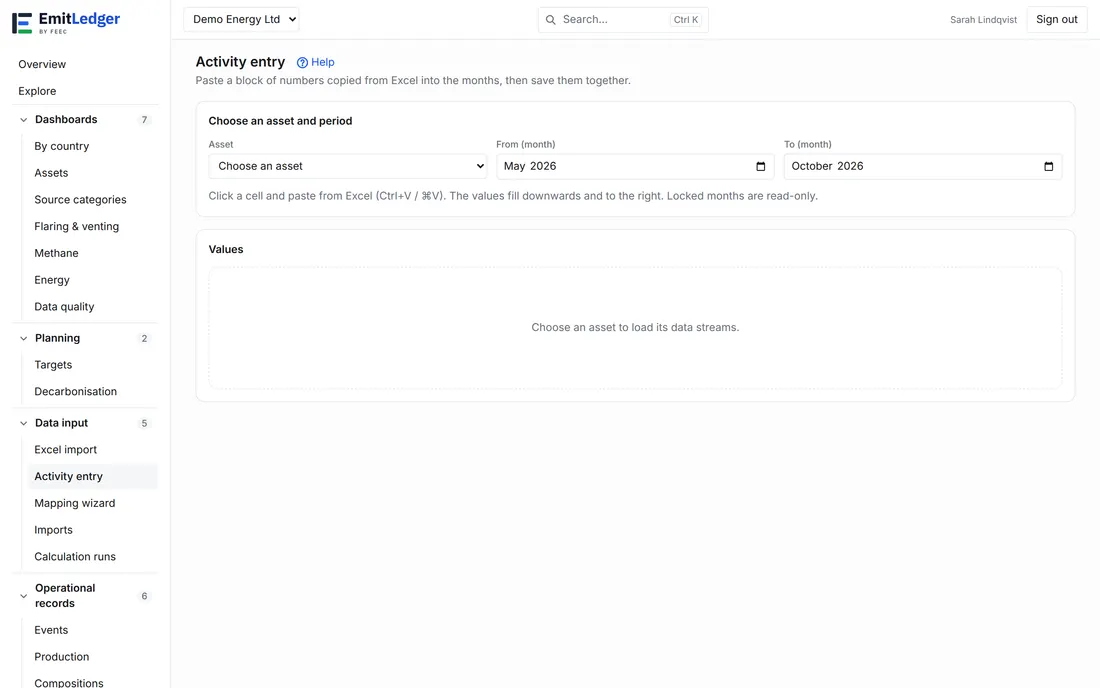
- Choose the Asset and the month range.
- Click the cell where the block should start — the first stream and month.
- Copy the numbers in Excel (a column, or a whole block) and press Ctrl+V (⌘V) on the page.
- The values fill downwards and to the right from that cell. Review them, then click Save.
Notes that save time:
- Excel separates columns with tabs, so a copied column lands as one value per month, and a copied row as one value per stream.
- Decimal commas and spaces inside a number are accepted; a cell that is not a number is reported and skipped, not silently dropped.
- A blank pasted cell is left alone; delete a stored value on the stream’s own screen.
- A number is never guessed. A value such as 1,234 could be one thousand two hundred and thirty-four or 1.234, so it is refused with a message: enter it without a thousands separator. 1,234,567 and 1,234.5 are read as written, and a comma followed by one, two or four or more digits (38,5) is a decimal comma.
- The asset and the months cannot be changed while there are unsaved values: save or discard them first.
- A pasted block never overwrites silently. The stored value is versioned: the new number becomes current and the old one stays in the history, with you recorded as the author. Pasting the same number back is a no-op (“no change”).
Move, select and fill
- Arrow keys and Enter move between cells as in a spreadsheet; Left and Right move a column when the cursor is at the start or end of the number.
- Shift+click or Shift+arrow keys select a block. Type a value under the grid and choose Fill selection to put it in every selected month; locked months are left as they are. Save stores the values.
- If someone else changed a value after you opened the grid, that cell is not overwritten on Save: reload the grid and check it.
Locked months
A month that has been locked for the asset is read-only here, and shown with a lock. Pasted values for those months are refused before anything is sent — unlock the month first (see Reporting periods).
What happens after Save
Activity data feeds the calculation engine, so saving queues a recalculation for the affected months — the same as any other data change. Every cell is reported individually: accepted, no change (the value was already there) or rejected with a code, such as E006 for a locked month or a validation code for the value itself. Rejected cells stay in the grid so you can fix and resend them.
Related
- Excel import is for whole workbooks with many streams and mappings at once; the grid is for quick corrections and small monthly updates.
- Events, Compositions and Production have their own screens.